Text You Can’t See, but AI Reads: Hidden Instructions in PDFs, from Résumés to Company Assistants
About 1% of résumés hide text people can't see but AI reads, and white text in a PDF pulled data out of Atlassian Rovo.…
Batch-process PDFs — merge, split, encrypt, convert and more in a single tool. Everything runs locally, nothing is uploaded. Simply safe.
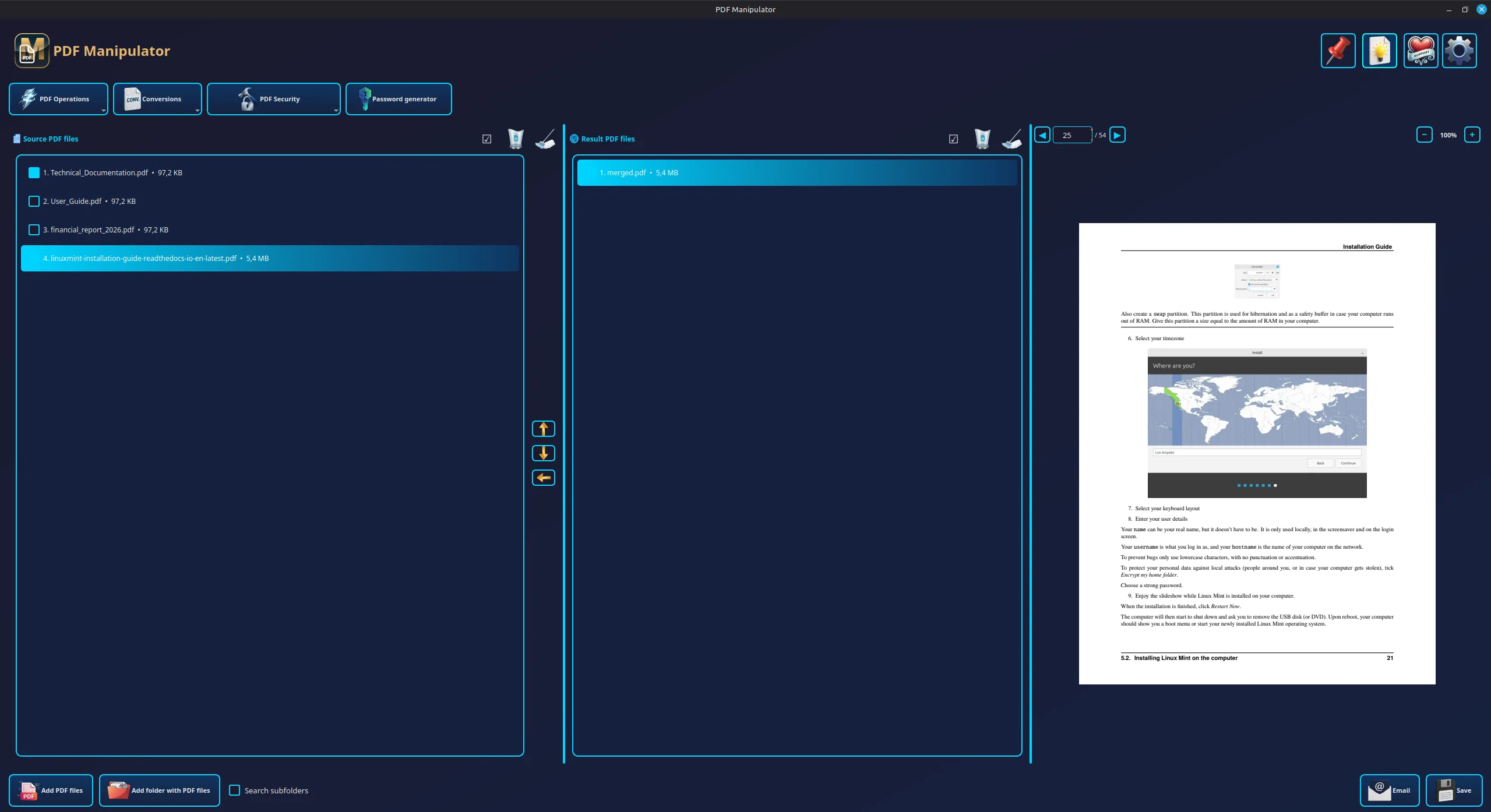
Browser-based PDF tools upload your documents to someone else's server. PDF Manipulator runs every operation locally, on your disk.
Most features work in batch mode — process a single file or far more at once. Merge, split, encrypt, convert and more on individual documents or whole folders.
Combine any number of PDF files into a single document. Drag dozens of files at once, set the order, and merge with one click.
Split a single PDF document into individual pages or page ranges — with preview and full control over split points.
Encrypt one or hundreds of PDF files with AES-256 password in bulk — same password for the entire batch in seconds.
Remove known passwords from one or multiple PDF files at once. Bulk unlock entire folders of documents.
Convert one or far more PDF files to editable Word at once. Batch convert entire directories.
Rotate selected or all pages in a single PDF document by 90, 180, or 270 degrees.
Delete selected pages from a single PDF file — the rest of the document stays untouched.
Change page order in a single PDF document — efficient document restructuring.
Pack one or far more PDF files into a ZIP archive with AES-256 encryption. Entire batch in one archive.
Recover forgotten passwords from your own PDF files — individually or for your entire collection (requires acknowledgment).
Search one or multiple PDF files at once. Bulk search for phrases across entire folders with page numbers.
Create strong, random passwords for PDF encryption — configurable length and character sets, copy with one click.
The output of one operation becomes input for the next instantly. Merge a dozen PDFs, encrypt the result, pack it to ZIP — and email it before anything touches the disk. Twelve operations compose into hundreds of combinations you assemble for your exact case.
Intermediate files live in app memory. You write to disk only at the end — or not at all, if it goes straight to email.
Run each function on the result of the previous one. No rigid paths — you decide what comes next, and build exactly the workflow you need.
As long as you don't hit "Save", you're working on copies in memory. Originals stay untouched, disk doesn't fill with intermediates — no cleanup after.
The entire workflow is enslaved to one thing: fewer steps, less clutter, faster result.
Choose from 38 color themes, set panel layout (horizontal or vertical), and toolbar style. The app looks the way you want.
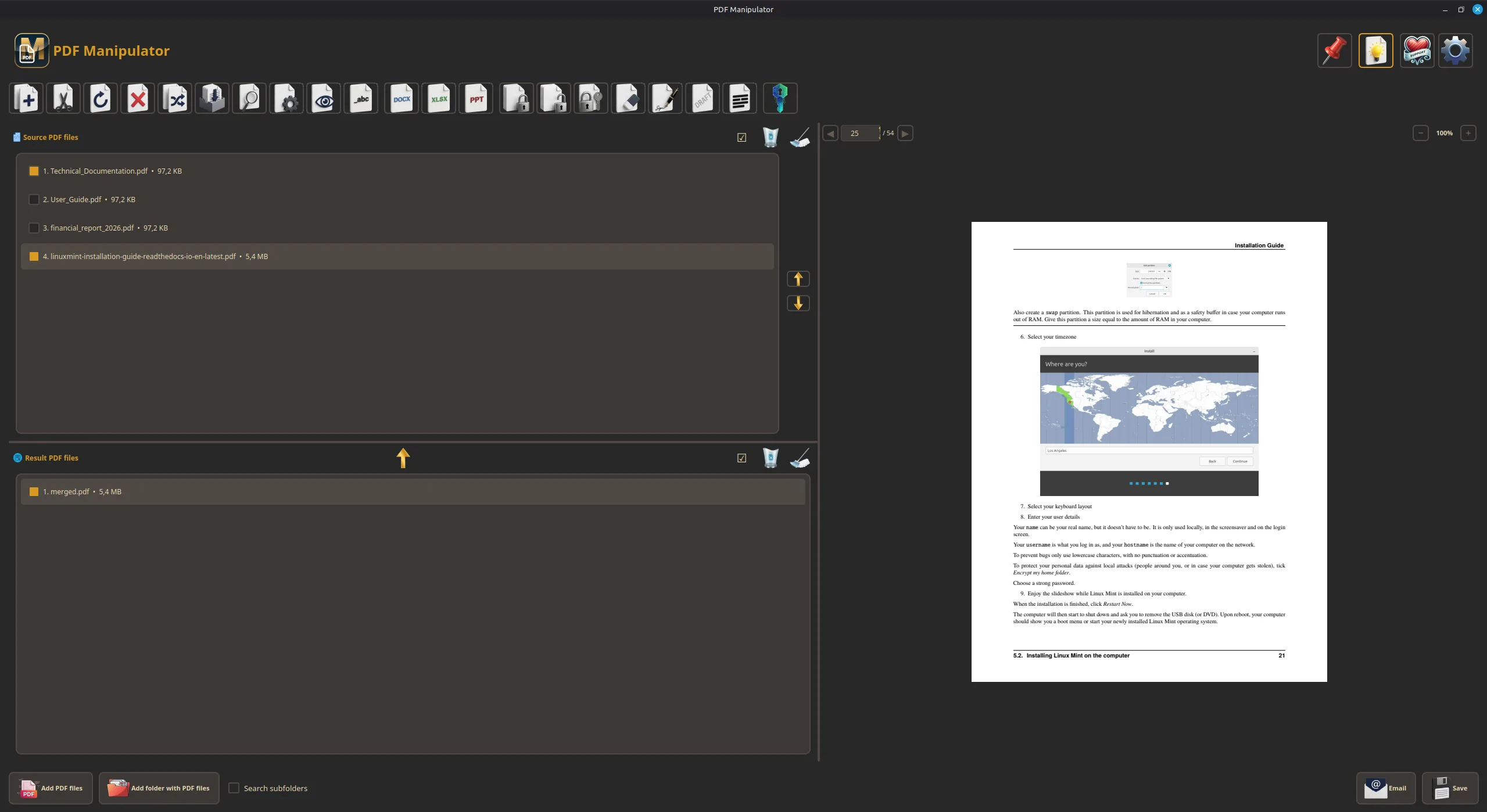
These are just two of 38 available themes — pick the rest in app settings.
Unlike online tools, PDF Manipulator never sends your files to the cloud. Every operation runs locally.
No PDF file, its content, name, or path ever leaves your computer. The app needs no internet to run.
No registration, no account, no subscription. Download, install, use — no data handed over.
All code is publicly available on GitHub under AGPL-3.0. You can check exactly what the app does.
Features currently in planning or development.
Save finished chains (e.g. merge → encrypt → pack) and run them with one click on entire batches. One pipeline instead of dozens of clicks — ultra-fast workflow for repetitive tasks.
About 1% of résumés hide text people can't see but AI reads, and white text in a PDF pulled data out of Atlassian Rovo.…
A crafted PDF with a JPEG 2000 image can run code on servers with Ghostscript older than 10.08.0. Who is affected, how to check…
A three-page document has no business being 40 MB. Here's what makes PDFs enormous, what compression actually throws away, and how to shrink a…
Combining and splitting PDFs looks like the most harmless thing you can do to a document. There are two failure modes worth knowing about,…
Converting a PDF to Word is guesswork by design — the format throws away the information Word needs. Here's why layouts break, when conversion…
Every PDF carries a hidden layer describing who made it, with what, and when — plus, quite often, the folder it was saved in.…
No registration. No cloud. No fees.
Download the installer and start working with PDFs right now.
v2.2.0 · Windows 10/11 & Linux (AppImage) · Source code on GitHub